
Help / Getting started
Creating your account
Apply for your salon account so you can start ordering.
Artègo Pro is for licensed salon professionals. We check every application by hand before we open the account, so applying takes a few more steps than a regular online store.
Open the application. Go to the Artègo Pro home page and click Register here in the black banner at the top. You can also click Sign in, then Apply for a professional account.
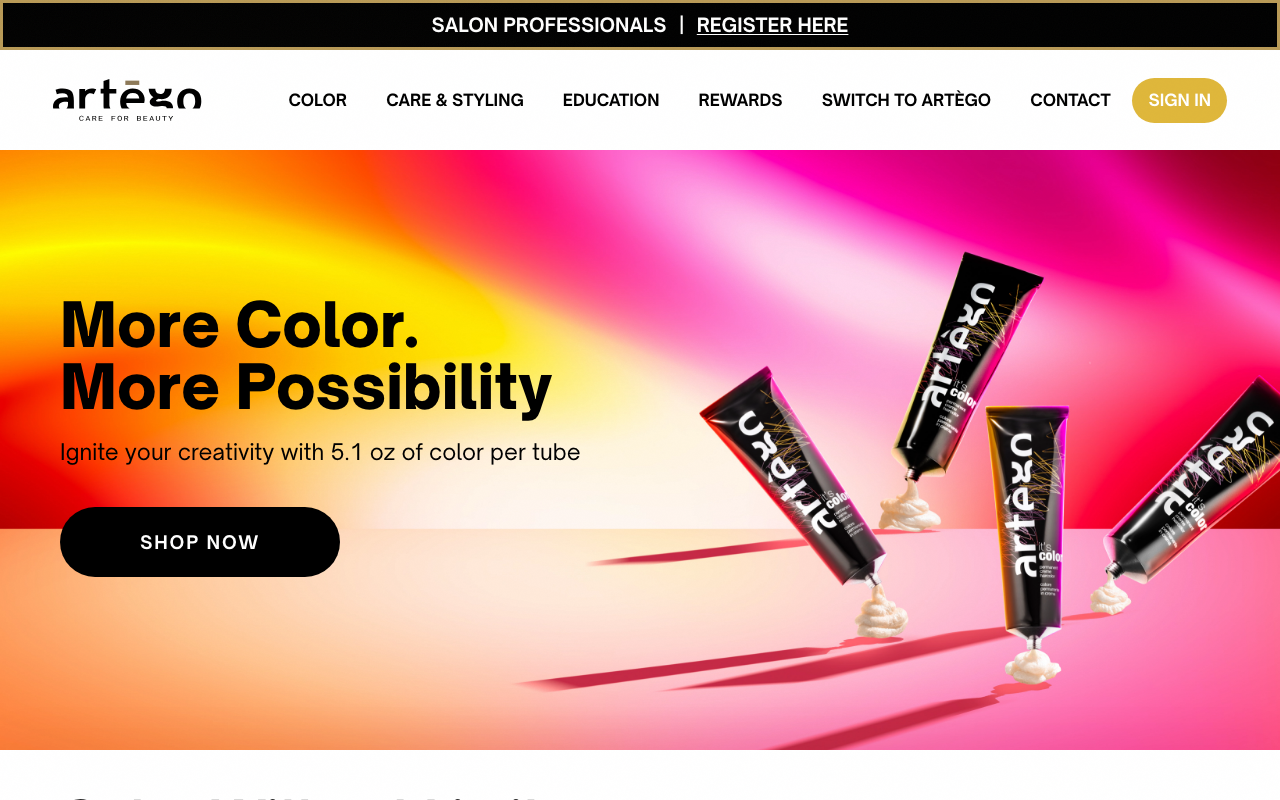
home page with the "Salon professionals | Register here" banner at the top Tell us who you are. Enter your first and last name, your email and mobile phone, your salon or business name, and your professional role (salon owner, stylist, esthetician, distributor, and so on). Use the email you want to sign in with: it becomes your sign-in.
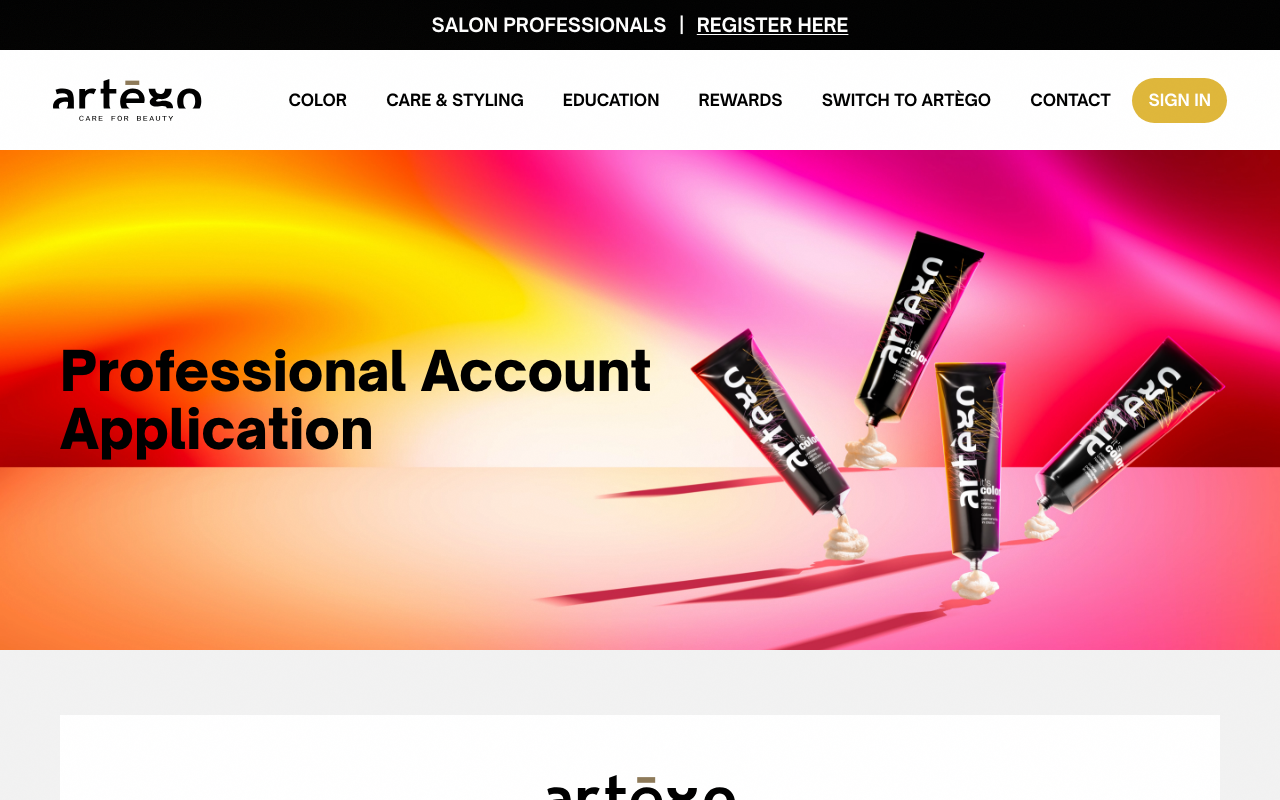
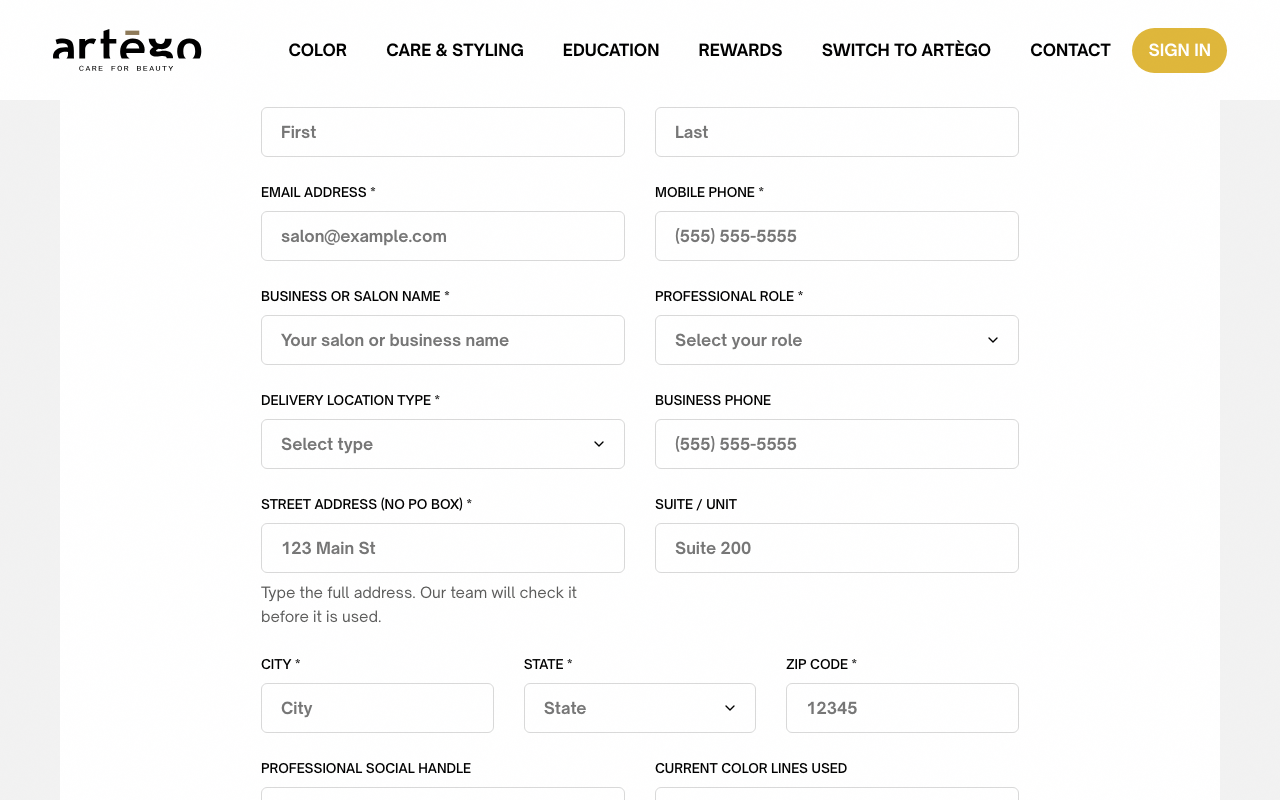
Professional Account Application, name, email, salon and role fields Add your salon's address. Pick the type of location we deliver to, then start typing the street and pick your address from the suggestions: the city, state and ZIP fill in by themselves. Add the suite or unit if there is one. Your orders ship here.
Can't find your address in the suggestions? Click I can't find my address and type it in full. Our team checks it before your account opens.
application form, delivery location type and address fields Tell us about your work. Add your Instagram or portfolio handle, the color lines you use today, and tick what interests you most: professional color, education, retail or coaching. This helps your sales rep prepare the right starter mix.
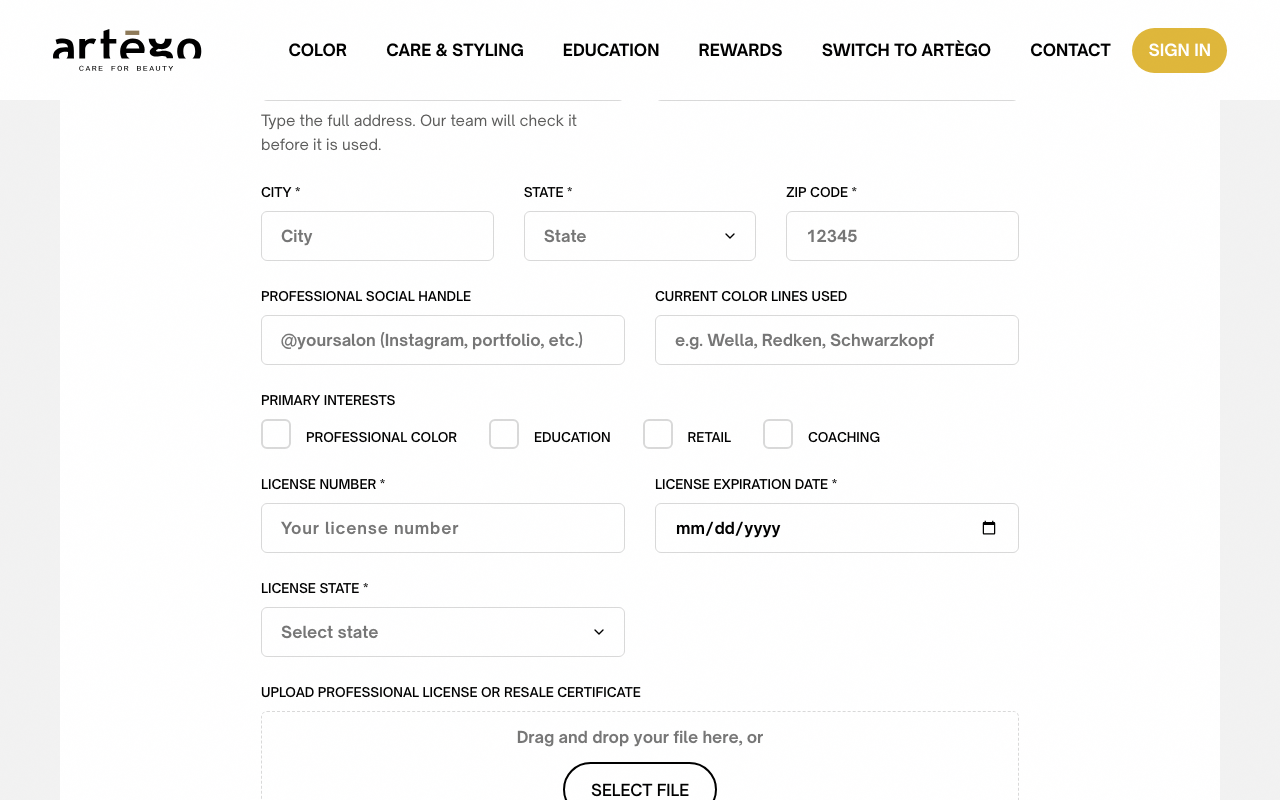
application form, social handle, current color lines and Primary Interests Add your license. Enter your license number, its expiration date and the state that issued it, then upload a photo or PDF of the license or of your resale certificate (JPG, PNG, WebP or PDF, up to 10MB).
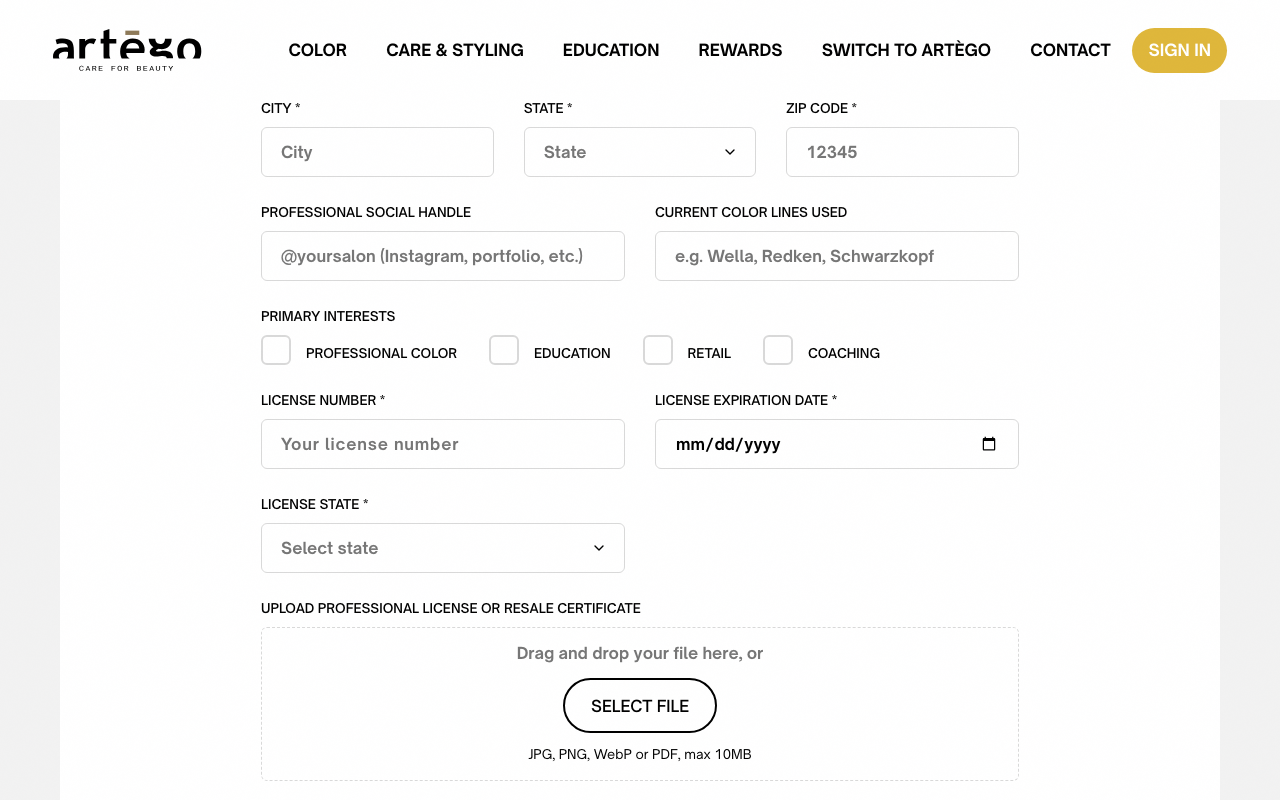
application form, license fields and the file upload box Tip: A clear phone photo of your license is fine. We just need to read the name, the license number and the state.
Don't have your license at hand? Leave these fields empty and send the application anyway: our team will call you to verify your license before your account opens.
Send the application. If you already work with an Artègo representative, tick the box and add their name. Tick the box confirming you're a licensed professional and that you agree to the Terms of Service and the Privacy Policy, then click Submit Application. A confirmation shows right away.
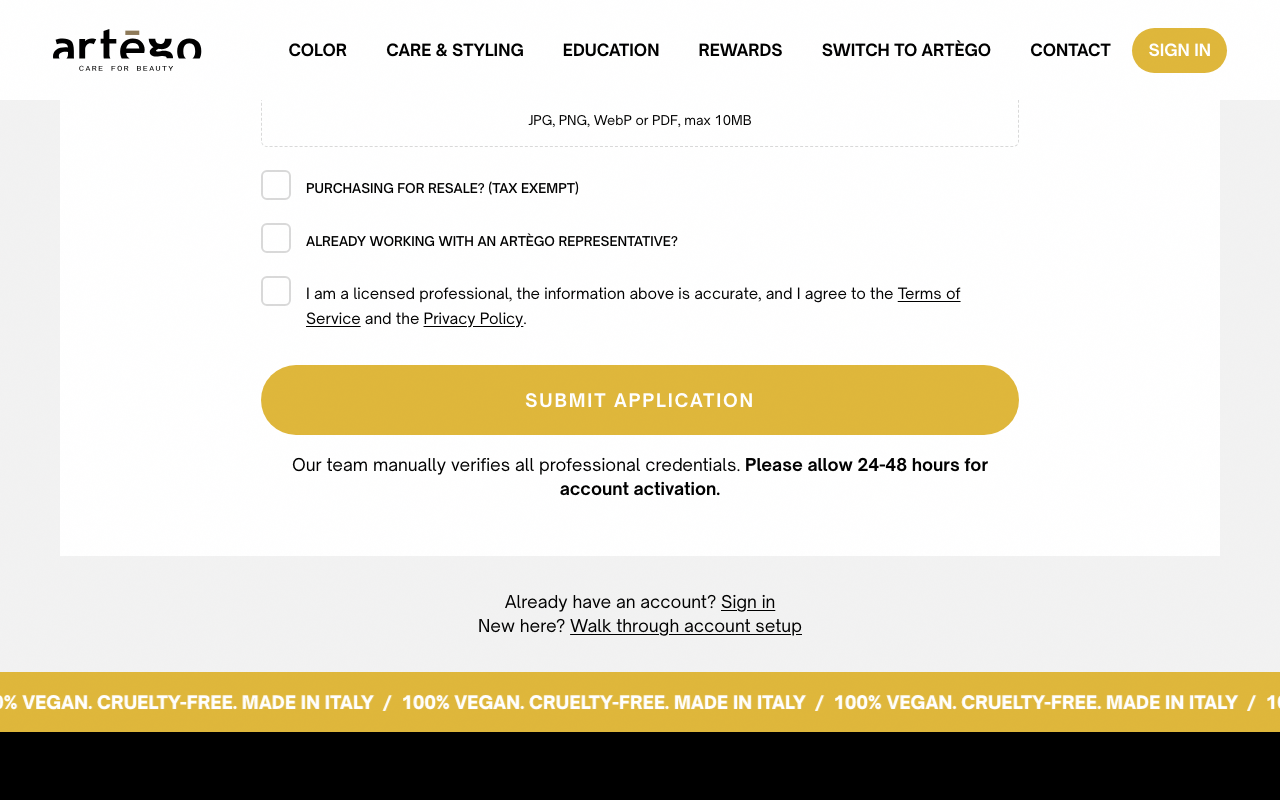
bottom of the application with the confirmation box and the Submit Application button Heads up: Allow 24 to 48 hours for approval. We email you as soon as your account is open.
Watch for the approval email. Once your license is verified, you get an email from Artègo Pro, Your Artègo Pro account is approved. Check your spam folder if it does not show up. From then on, signing in takes no password: go to the Artègo Pro home page, click Sign in at the top of the page, then the Sign in button on the Welcome back page, enter your email, and you get a one-time code by email. See "Signing in". [Screenshot: example approval email in an inbox]
Your salon also gets its Account number, a short number such as 1042. You find it under Salon Profile (sidebar), in the Salon details, and on every invoice. Quote it when you call or email us.
Need more help? Email us.